WordPress plugin for Zoho CRM

Every form submission, in Zoho, automatically

Stop copying leads by hand. Connect the form plugin you already use, map fields once, and let each submission create or update the right CRM record.

$49 one-time for a single site, or $99 for unlimited sites.

  • 5 form plugins
  • Any Zoho module
  • Multi account
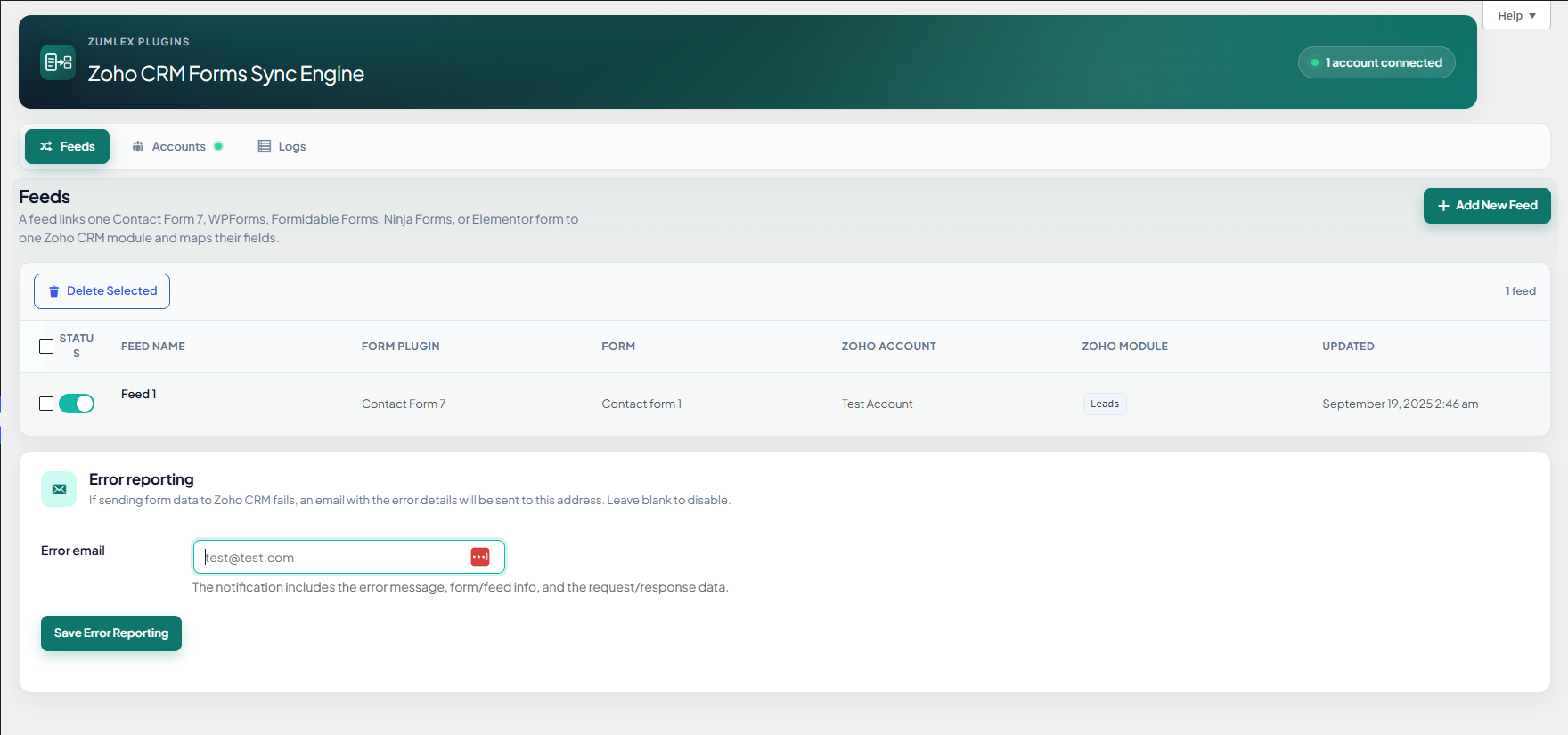
Plugin overview in WordPress admin
Add screenshot: plugin overview images/hero.png
30-day money-back guarantee

Try it on your site. If it is not a fit, get a full refund within 30 days.

24/7 support

Help when you need it. We aim to reply within one hour, any time of day.

Setup

Live in three steps

No custom code. Connect Zoho, create a feed, and submissions start flowing.

  1. 1

    Connect Zoho

    Authorize one or more CRM accounts. Pick the right data center for your org.

  2. 2

    Build a feed

    Choose your form, Zoho module, and map each field. Add filters if you need them.

  3. 3

    Sync on submit

    New entries create records, or update matches when you set a duplicate-check field.

Features

Everything you need to run forms to CRM

Each block has room for a screenshot from your site. Drop PNGs into the images folder using the file name on the frame.

Form plugins

Use the forms you already run

Contact Form 7, WPForms, Formidable Forms, Ninja Forms, and Elementor Forms are supported out of the box. One feed per form. Mix providers on the same site.

  • Pick the active form plugin per feed
  • Elementor forms from pages, popups, and templates
  • Field list loads from the form you select
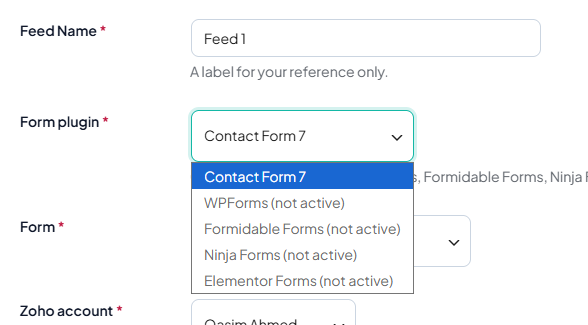
Choosing a form plugin and form for a feed
Add screenshot: form selection images/feature-forms.png
Accounts

One or many Zoho orgs

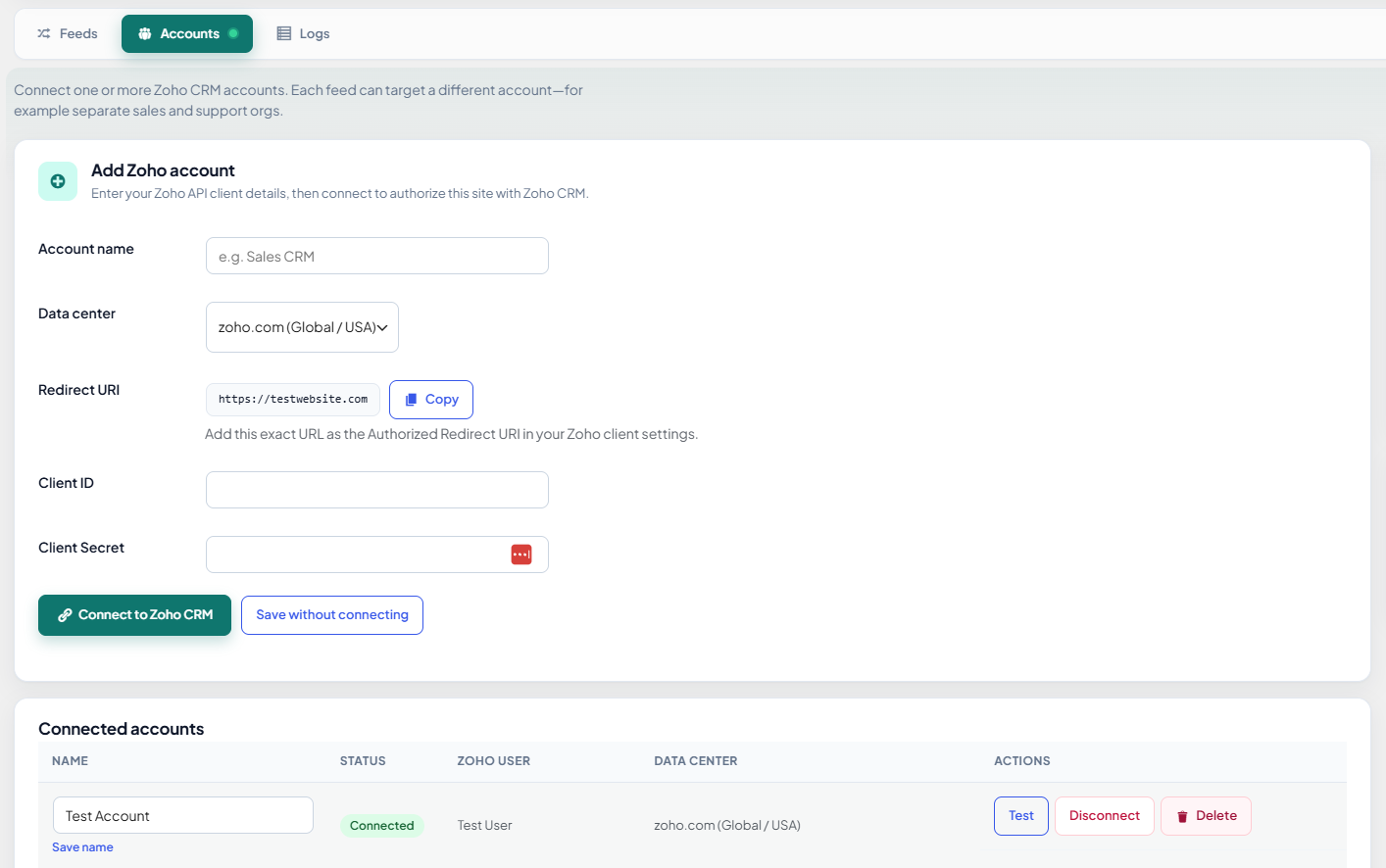
Connect sales and support CRMs separately, or run agencies with a connection per client. Global, EU, UK, India, and other Zoho data centers are supported.

  • Label each connection in WordPress
  • Each feed targets one account
Zoho CRM account connections
Add screenshot: accounts images/accounts.png
Mapping

Any module, any field

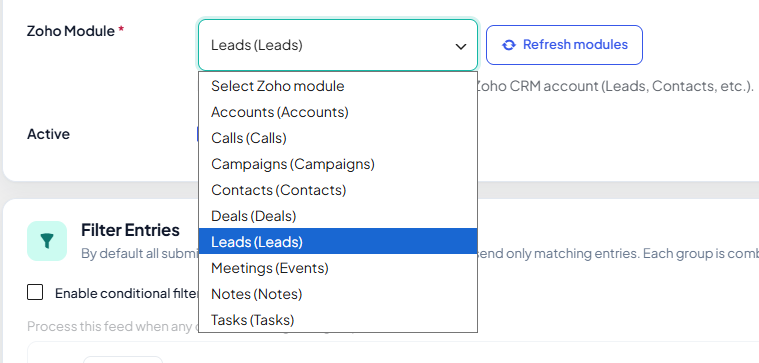
Leads, Contacts, Deals, or custom modules. Pull live field lists from Zoho and map form answers, including attribution and hidden values.

  • Primary key for create vs update (upsert)
  • Refresh modules and fields from Zoho
Field mapping between form and Zoho module
Add screenshot: field mapping images/feed-mapping.png
Filters

Only sync the leads you want

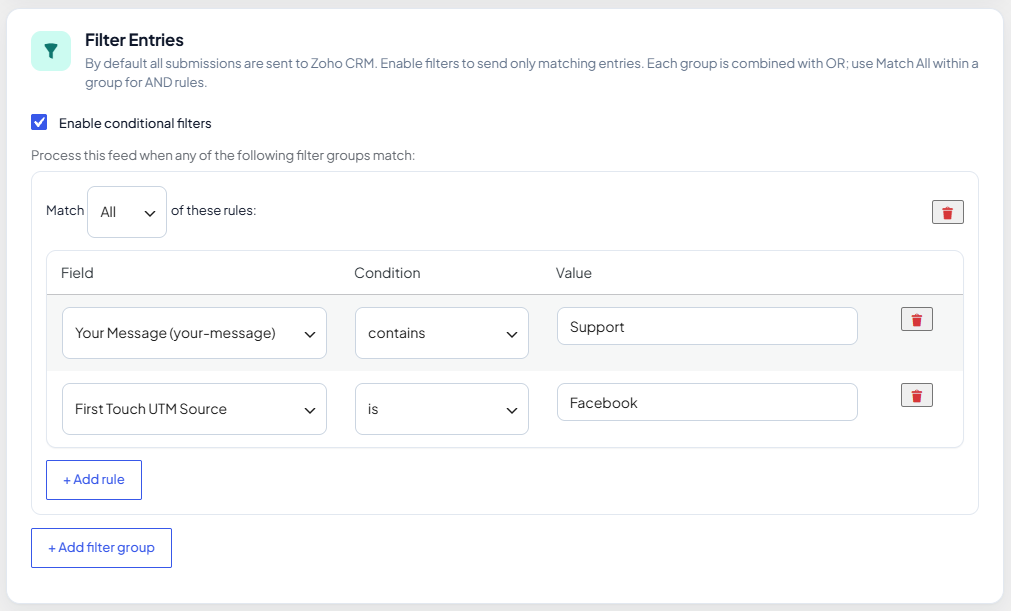
Nested rules with AND/OR groups. For example, only sync when “Service” is Consultation or when a marketing opt-in is checked.

  • Match on any mapped form field
  • Turn filtering on per feed
Feed filter rules in the admin
Add screenshot: filters images/filters.png
CRM extras

Notes and record owner

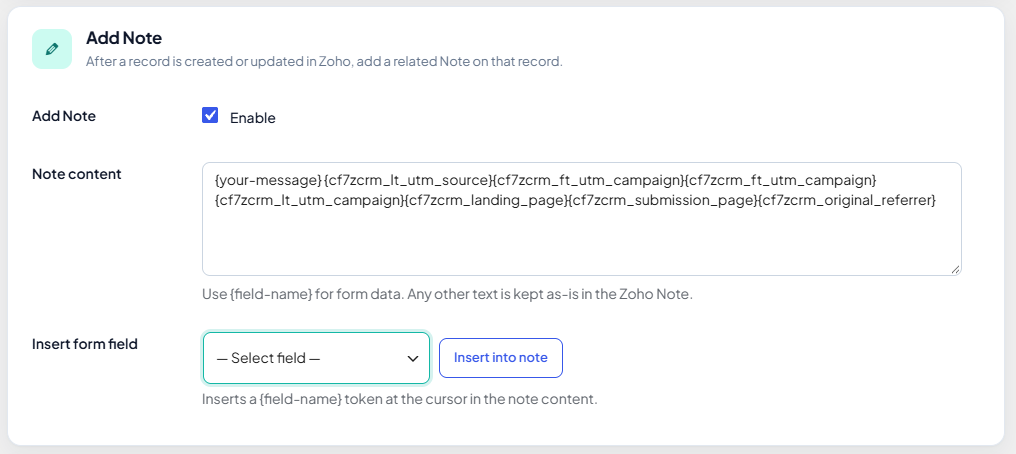
Attach a note built from the submission and assign the new or updated record to a Zoho user, so sales sees context the moment the lead arrives.

  • Note templates with {field} tokens
  • Optional owner per feed; Zoho default when off
CRM note template and record owner settings
Add screenshot: notes & owner images/feature-notes.png
Campaign data

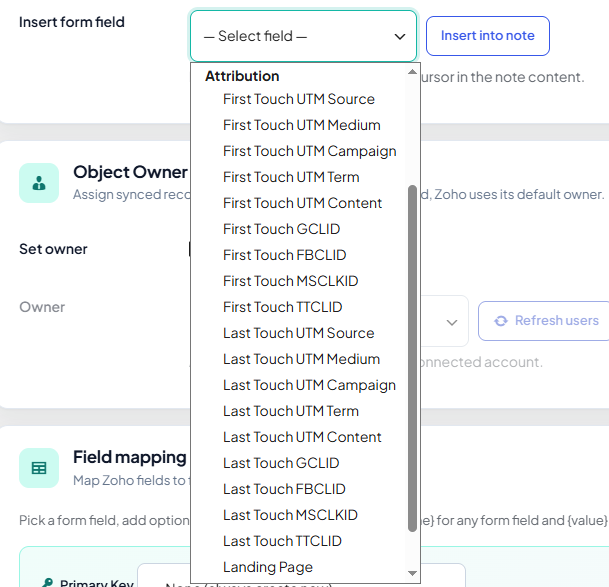
UTM and click IDs in Zoho

Capture first-touch and last-touch UTM tags, Google, Facebook, Microsoft, and TikTok click IDs, plus landing page and referrer, then map them into CRM fields. No IP, device, or location tracking.

  • Attribution fields appear in field mapping when enabled
  • Values reach Zoho only when you map them on a feed
Campaign and attribution fields mapped to Zoho
Add screenshot: campaign / attribution images/feature-campaign.png
Reliability

See every sync, catch failures fast

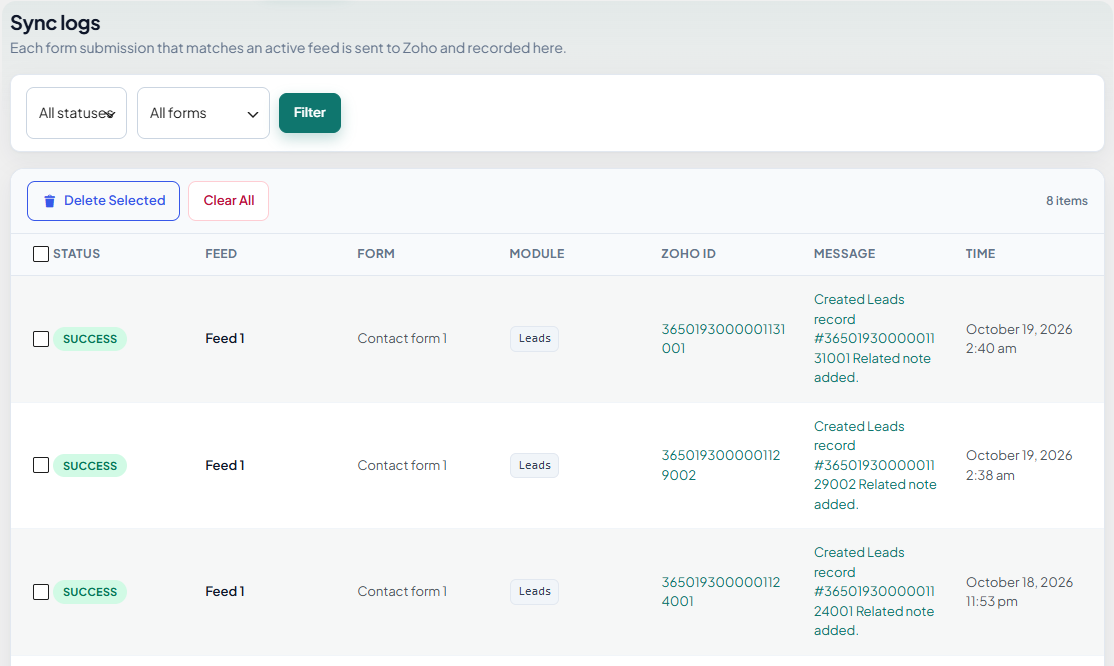
A full log shows what was sent and whether Zoho accepted it. Set an error email and get notified when something needs attention.

  • Per-submission success and error detail
  • Clear logs when you are done debugging
Sync log in WordPress admin
Add screenshot: logs images/logs.png

Create or update

Match on email or any unique field so repeat submissions update the same lead.

Instant sync

Runs when the form plugin finishes. No cron queue to babysit.

OAuth in WordPress

Connect with Zoho’s standard app flow; tokens stay on your server.

Multiple feeds

One form to Leads, another to Deals. Enable or pause each feed anytime.

Reviews

Trusted by teams who live in Zoho

Replace these with your real customer quotes when you have them.

★★★★★

“We moved three Contact Form 7 forms to Leads in an afternoon. Field mapping was straightforward and the sync log saved us when Zoho rejected a picklist value.”

Sarah M. Marketing ops, SaaS
★★★★★

“Filters were the win. Only qualified demo requests hit the CRM. Support answered a mapping question in under an hour on a Sunday.”

James K. Agency owner
★★★★★

“Multiple Zoho accounts for different clients, WPForms on each site. Exactly what we needed without Zapier bills stacking up.”

Priya R. WordPress developer

Pricing

One-time payment. No subscription.

Install the plugin, connect your account, and map one form. Most sites are done in under fifteen minutes.

Single site

$49

One-time cost, single license, 1 WordPress site

  • Full plugin, all features
  • Updates for this license
  • 30-day money-back guarantee
Buy Now $49

WordPress 5.0+, PHP 7.4+, and Contact Form 7, WPForms, Formidable Forms, Ninja Forms, or Elementor Pro (Elementor Forms).

  • 30-day money-back guarantee Not happy? Email us within 30 days for a full refund. No hassle.
  • 24/7 support, replies within 1 hour Setup, mapping, or sync issues? Reach out anytime and we will get back to you fast.